

Payment Portal
Setting Up in the DealerOn Billing & Payment Portal
Welcome to DealerOn! We’re excited to partner with you and look forward to supporting your business goals.
Your account in our payment portal must be set up before implementation work can begin, and any applicable payments must be paid.
Completing the steps below ensures your project can officially get started without delay.
Step 1: Access the DealerOn Payment Portal
The DealerOn Payment Portal allows you to securely manage billing and submit payments.
To begin, visit the payment portal here:
Payment PortalStep 2: Create Your Portal Login
If this is your first time accessing the portal:
- Select “New User Sign-Up.”
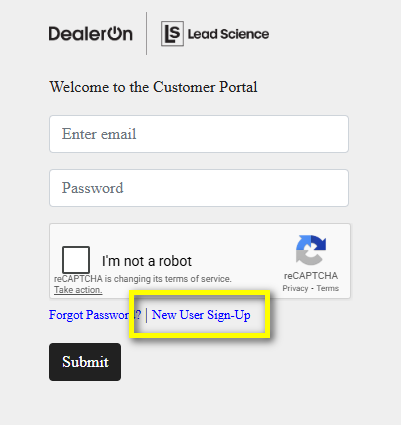
- Set up your login using the billing email address listed on your signed agreement.
- Create a username and password for future access.
If you need to use a different billing email address, please contact us at billing@dealeron.com and our team will be happy to assist.
Step 3: Add Your Payment Method
After creating your login, enter your payment details:
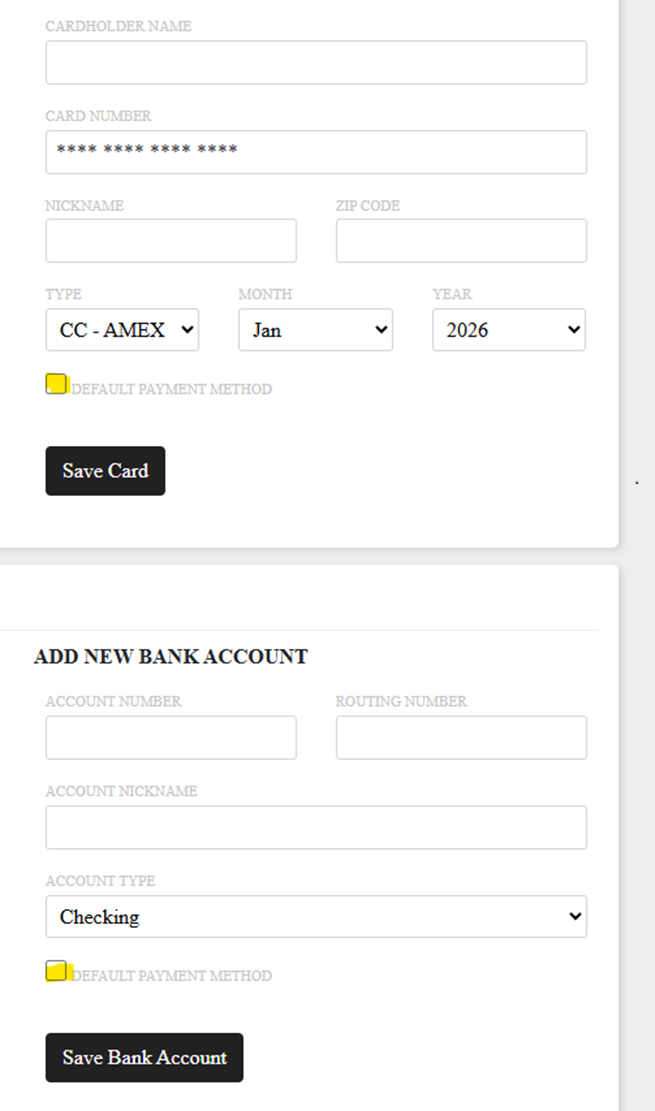
- Navigate to the “Settings" > "Payment Method” page.
- Choose “Add New Card” to pay by credit card, or
- Choose “Add Bank Account” to pay via ACH using your routing and account numbers.
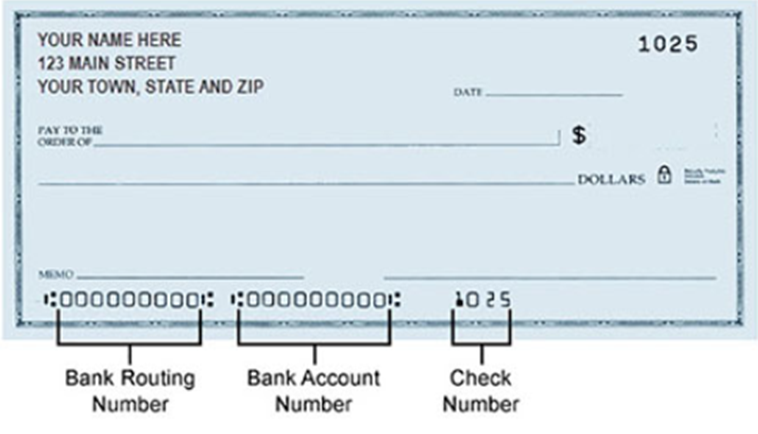
- Check the “Default Payment Method” checkbox.
- Click “Save Card/Bank Account”.
Step 4: Complete Any Payments
Once your payment method is saved:
- Submit any applicable payments, if required.
- Choose whether to make a one-time payment or enable recurring monthly payments for future invoices.
Ongoing Payment Portal Access
You can log into the payment portal at any time to:
- View or download invoices
- Review payment history
- Update payment methods or billing information
If you have any questions or need assistance completing these steps, please don’t hesitate to reach out to us at billing@dealeron.com. We’re excited to get started!
Need some assistance?
Please email billing@dealeron.com or call 877-543-4200 to request help with the DealerOn Payment Portal.